AI-Powered CAPTCHA Bypass: Automating CAPTCHA Solving with GPT-4o and Gemini
While conducting security research, I wanted to test how effective CAPTCHAs really are. I was curious about how well modern AI models could solve visual and text-based CAPTCHAs. That’s why I developed a tool that uses large multimodal models (LMMs) like OpenAI’s GPT-4o and Google’s Gemini to automatically solve various types of CAPTCHAs. This tool uses Selenium for web browser automation to interact with web pages and solve CAPTCHAs in real-time, recording successful solves as GIFs. Moreover, this research was presented at Black Hat Sector 2025.
What is ai-captcha-bypass?
ai-captcha-bypass is a Python-based command-line tool. Essentially, it uses advanced AI models like OpenAI’s GPT-4o and Google’s Gemini to automatically solve various types of CAPTCHAs. The tool uses Selenium for web browser automation to analyze and solve CAPTCHAs in real-time.
One of the tool’s most important features is its ability to solve both visual and text-based CAPTCHAs. Additionally, it can transcribe audio CAPTCHAs. This allows security researchers to test the security levels of different CAPTCHA types.
The tool has gathered 949+ stars on GitHub and is widely used by the security community. It was also presented at Black Hat Sector 2025.
Why ai-captcha-bypass?
While conducting security research, I wanted to test how effective CAPTCHAs really are. I was curious about how well modern AI models could solve visual and text-based CAPTCHAs. Also, when bypassing CAPTCHAs in bug bounty research, solving them manually can be time-consuming.
Supported CAPTCHA Types
ai-captcha-bypass can solve the following CAPTCHA types found on the 2captcha.com/demo/ pages:
- Text Captcha: Simple text recognition CAPTCHAs
- Complicated Text Captcha: Text with more distortion and noise
- reCAPTCHA v2: Google’s “I’m not a robot” checkbox with image selection challenges
- Puzzle Captcha: Slider puzzles where a piece must be moved to the correct location
- Audio Captcha: Transcribing spoken letters or numbers from an audio file
Custom prompts were prepared for each CAPTCHA type and optimized to get the best results from AI models.
How It Works
The working principle of ai-captcha-bypass is quite simple:
- Launch Browser: A Firefox browser instance is started using Selenium
- Navigate: It goes to the demo page for the specified CAPTCHA type
- Capture: It takes screenshots of the CAPTCHA challenge (image, instructions, or puzzle)
- AI Analysis: The captured images or audio files are sent to the selected AI provider (OpenAI or Gemini) with a specific prompt tailored to the CAPTCHA type
- Get Action: The AI returns the solution (text, coordinates, or image selections)
- Perform Action: The script uses Selenium to enter the text, move the slider, or click the correct images
- Verify: The script checks for a success message to confirm the CAPTCHA was solved
Successful solves are recorded as GIFs in the successful_solves directory. This way, you can see which CAPTCHAs were successfully solved.
Installation & Usage
Prerequisites
- Python 3.7+
- Mozilla Firefox
- OpenAI or Google Gemini API keys
Installation
git clone https://github.com/aydinnyunus/ai-captcha-bypass
cd ai-captcha-bypass
pip install -r requirements.txt
Setting Up API Keys
Copy the .env.example file to .env and add your API keys:
cp .env.example .env
Open the .env file and add your API keys:
OPENAI_API_KEY="sk-..."
GOOGLE_API_KEY="..."
Usage Examples
Solve a simple text CAPTCHA using OpenAI (default):
python main.py text
Solve a complicated text CAPTCHA using Gemini:
python main.py complicated_text --provider gemini
Solve a reCAPTCHA v2 challenge using Gemini:
python main.py recaptcha_v2 --provider gemini
Transcribe an audio CAPTCHA:
python main.py audio --file files/radio.wav --provider openai
Solve a puzzle CAPTCHA using a specific OpenAI model:
python main.py puzzle --provider openai --model gpt-4o
Success Examples
The tool successfully solves various CAPTCHA types. The GitHub repository contains GIFs of successful solves in the successful_solves directory. Here are some success examples:
reCAPTCHA v2
reCAPTCHA v2 is one of Google’s most commonly used CAPTCHA types. It was successfully solved with both OpenAI (GPT-4o) and Gemini (2.5 Pro):

reCAPTCHA v2 successful solve - OpenAI GPT-4o
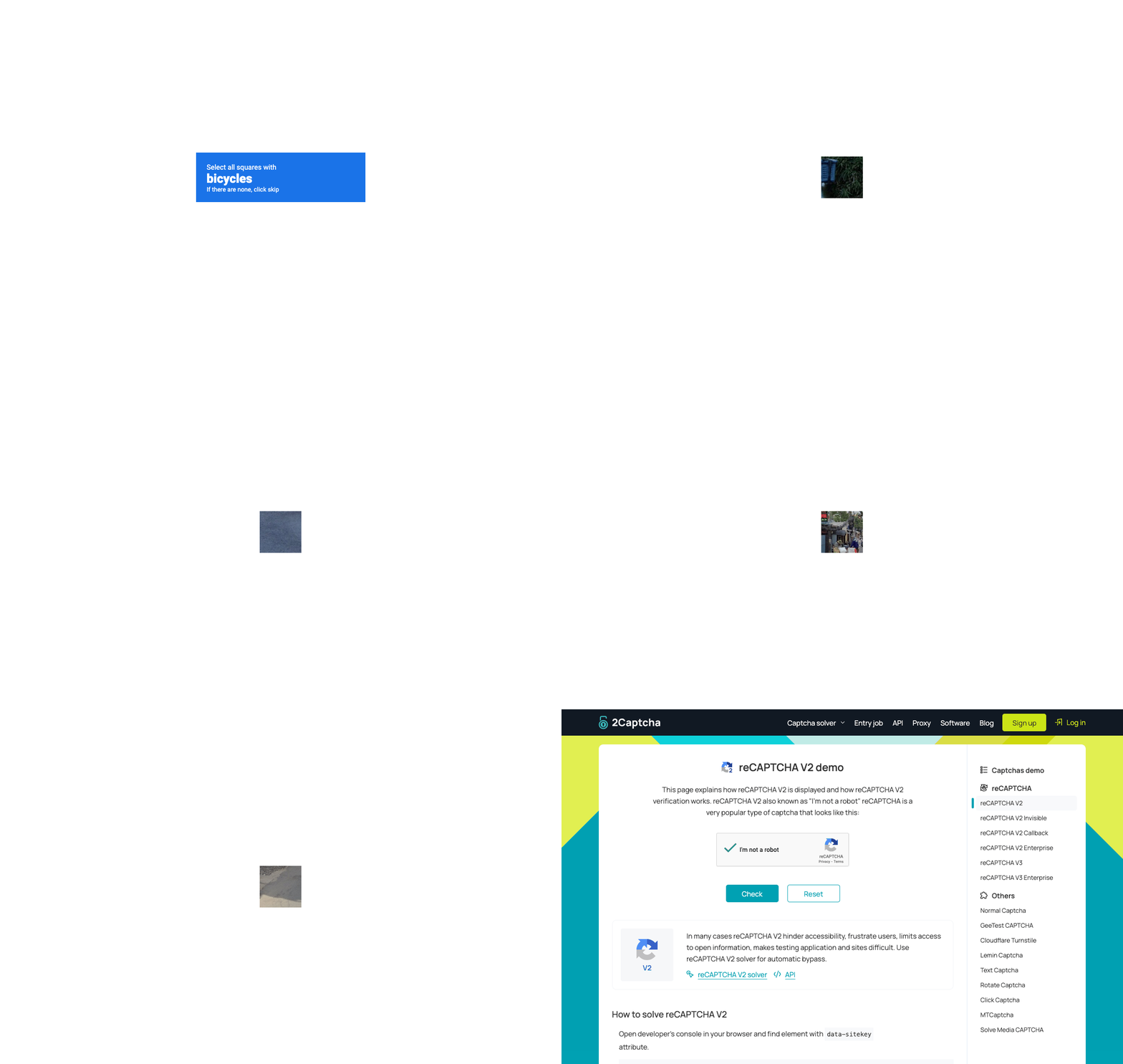
reCAPTCHA v2 successful solve - Gemini 2.5 Pro
Puzzle Captcha
Slider puzzle CAPTCHAs are a challenging CAPTCHA type that requires moving a piece to the correct position. Both AI models successfully solve this type of CAPTCHA:
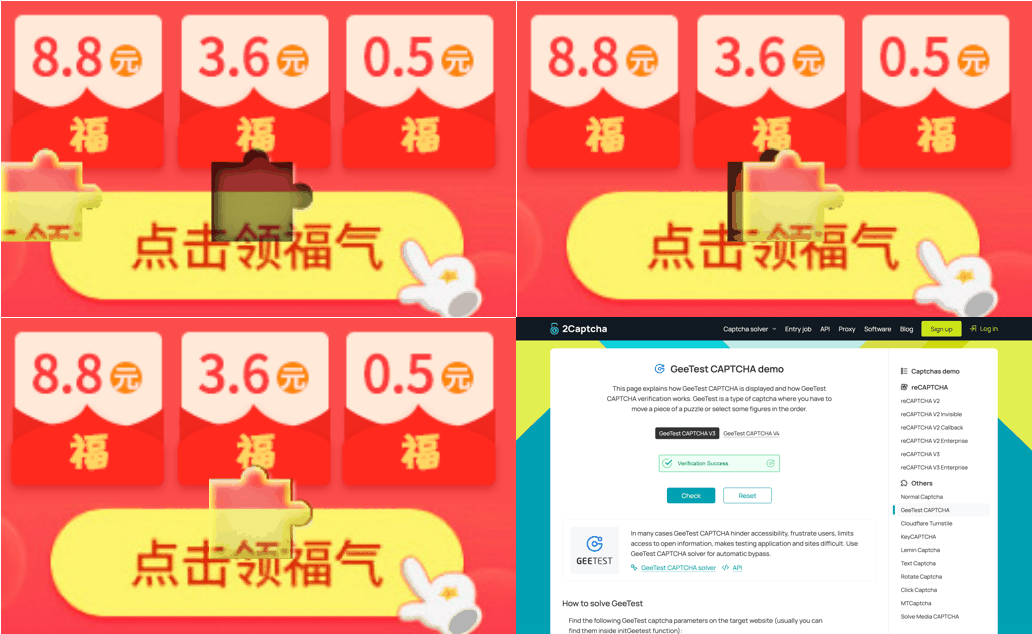
Puzzle CAPTCHA successful solve - OpenAI GPT-4o

Puzzle CAPTCHA successful solve - Gemini 2.5 Pro
Complicated Text Captcha
Text CAPTCHAs with high distortion and noise can be difficult even for humans. However, AI models successfully read this type of CAPTCHA as well:

Complicated Text CAPTCHA successful solve - OpenAI GPT-4o
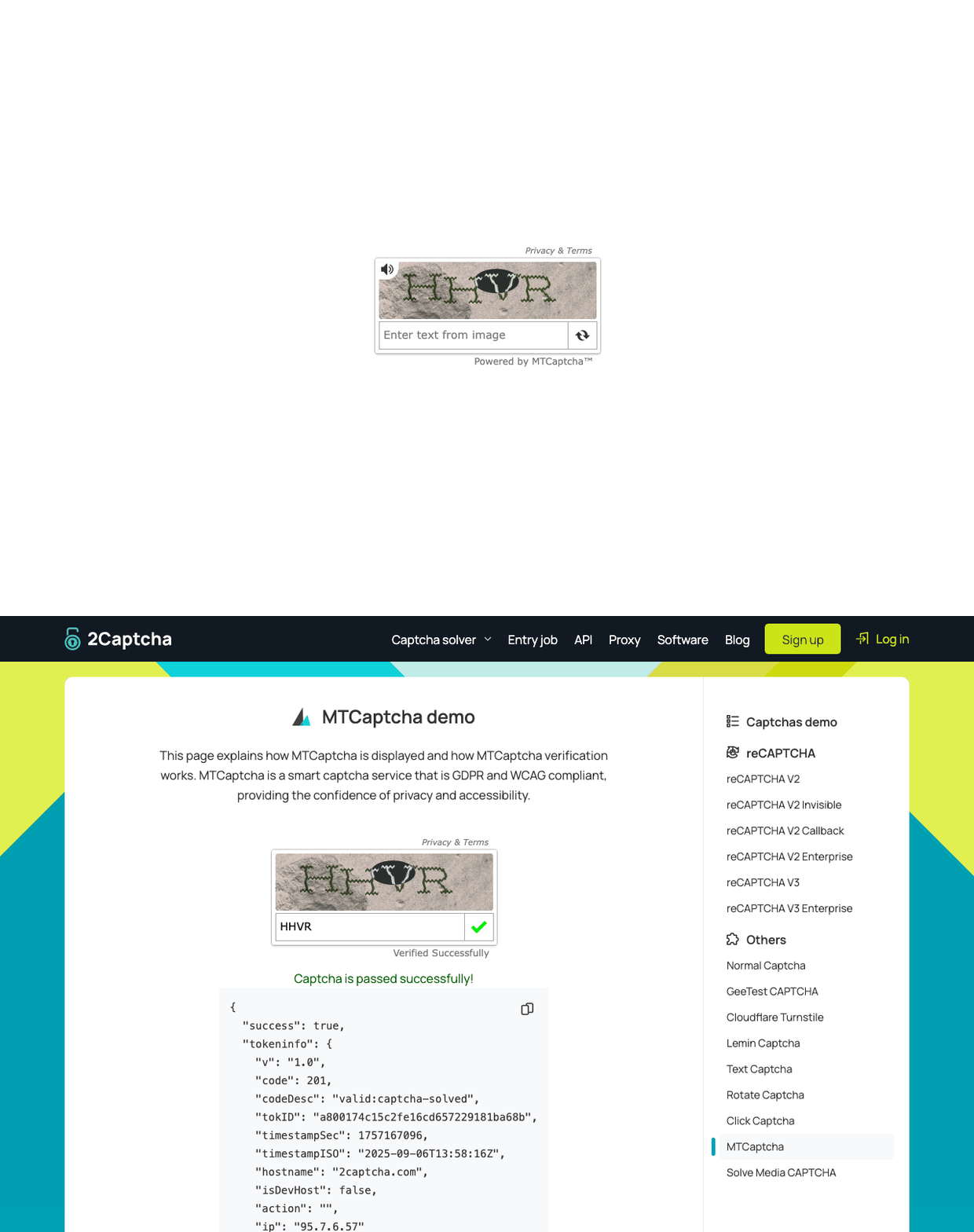
Complicated Text CAPTCHA successful solve - Gemini 2.5 Pro
These examples demonstrate how effectively modern AI models can solve CAPTCHAs. Each GIF shows how the tool solves the CAPTCHA in real-time.
Security and Ethical Usage
This tool was developed for security research and testing purposes. Automatically solving CAPTCHAs may violate some websites’ terms of service. Therefore:
- Only use it on your own website or authorized test environments
- Follow legal and ethical guidelines
- Do not use it on others’ websites without permission
The tool was developed to help security researchers test the security levels of CAPTCHAs and suggest improvements.
Project Structure
main.py: The main entry point to run the CAPTCHA solver tests. Handles command-line arguments and calls the appropriate test functions.ai_utils.py: Contains all the functions for interacting with the OpenAI and Gemini APIs. This is where prompts are defined and API calls are made.puzzle_solver.py: Implements the logic specifically for solving the multi-step slider puzzle CAPTCHA.benchmark.py: A script for running multiple tests to evaluate the performance and success rate of the different solvers.successful_solves/: Directory where GIFs of successful solutions are saved.
Conclusion
ai-captcha-bypass is an innovative tool that uses modern AI models to automatically solve CAPTCHAs. It’s a valuable resource for both security researchers and developers. The tool can solve various CAPTCHA types and records successful solves.
If you want to learn more about security research, check out exifLooter: Extracting Hidden Location Data from Images. You can also explore my other security projects.
Resources
- GitHub Repository
- Black Hat Sector 2025 - Presentation details
- OpenAI GPT-4o Documentation
- Google Gemini Documentation