Identifying Coin Scammers: Coin Mixing Analysis with Wallet-Tracker
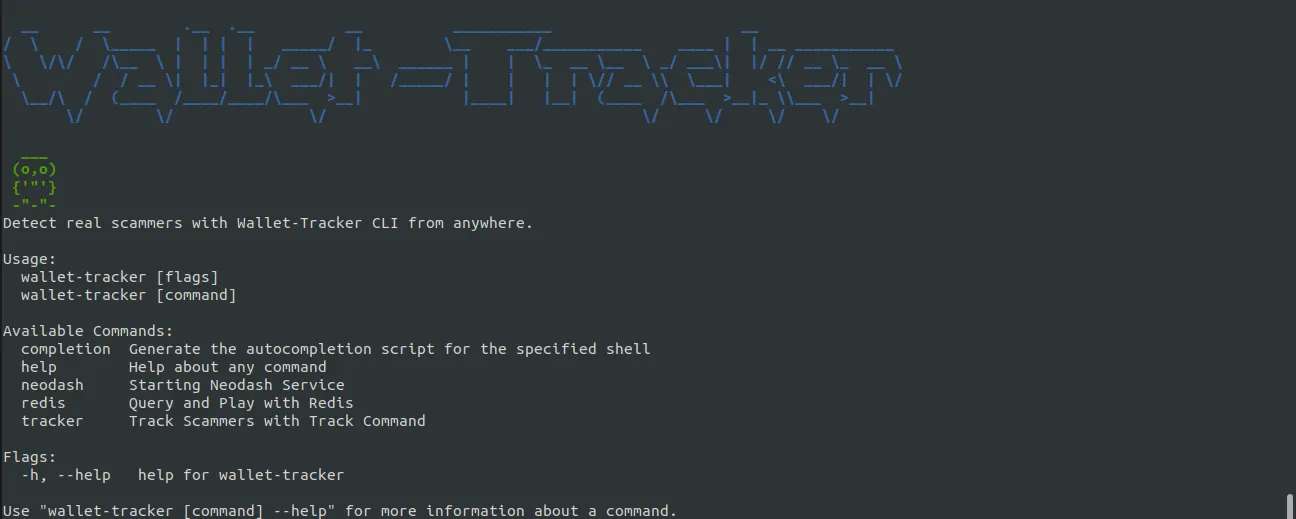
Online scams are becoming increasingly common in today’s digital world. From phishing attempts to fake cryptocurrency exchanges, it can be hard to know who to trust. One tool that can help protect yourself from cryptocurrency scammers is Wallet-Tracker. This tool uses the Wallet-Tracker CLI, Neo4j database, and a user-provided scammer wallet address to store all transactions and wallets, making it easier to detect suspicious activity. It also scans all transactions from and to the provided scammer wallet address and its neighbors, and can detect coin mixing.
What is Coin Mixing?
Coin mixing is a technique used to obscure the origin of cryptocurrency by mixing it with other coins. This process makes it difficult to trace the flow of funds and can be used to launder money or hide illegal activities. By using Wallet-Tracker, you can detect coin mixing by analyzing the transactions and wallets stored in the Neo4j database.

Coin mixing is a technique used to reduce the traceability of transactions on the blockchain. Attackers mix cryptocurrencies obtained through illegal means by transferring them between many different wallets. This makes it nearly impossible to trace the origin of the funds.
What is Wallet-Tracker?
Wallet-Tracker is a tool developed to identify cryptocurrency scammers and analyze coin mixing activities. When provided with a scammer wallet address, the tool scans all transactions from and to that wallet. These transactions are stored and analyzed in a Neo4j graph database.
Key features:
- Transaction scanning and analysis
- Coin mixing detection
- Suspicious activity flagging
- Graph database visualization
- Exchange wallet detection
Wallet-Tracker Architecture
Wallet-Tracker consists of three main components: Neo4j, Redis, and Neodash. Each has its own unique role.
Neo4j: Graph Database
Neo4j is a graph database used in Wallet-Tracker to store all transactions and wallets. The graph structure is ideal for visualizing relationships between wallets and transaction flows.
Advantages of Neo4j:
- Graph structure: Naturally represents relationships between wallets and transactions
- Fast querying: Complex graph queries can be executed quickly
- Pattern matching: Powerful query capabilities for detecting patterns like coin mixing
- Visualization: Makes it easy to visually analyze transaction flows
In Neo4j, each transaction is represented as an edge (connection) from one wallet to another. This structure is perfect for detecting coin mixing patterns.
Redis: In-Memory Cache
Redis is an in-memory data structure store used in Wallet-Tracker for caching and fast data access. It plays a critical role in handling large amounts of data and providing real-time analysis.
Use cases for Redis:
- Exchange wallet cache: Stores known exchange wallets in key-value format
- Fast access: Provides quick access to frequently used data
- Performance: Acts as a cache mechanism to speed up Neo4j queries
Exchange wallets are stored in Redis because they are frequently queried and require fast access. This allows you to quickly check if a wallet belongs to an exchange.
Neodash: Web Interface
Neodash is a web server used to visualize data stored in Neo4j. It provides users with an interactive and intuitive interface, making it easy to understand transaction history.
Neodash features:
- Pre-defined queries: Ready-made queries for common analyses
- Custom queries: Users can add their own queries
- Visualization: Visually examine graph structures
- Pattern analysis: Visualize coin mixing and suspicious activity patterns
Neodash visualizes data from the Neo4j database through a web interface. This allows you to easily analyze transaction flows and relationships between wallets.
How Does Wallet-Tracker Work?
Wallet-Tracker works by using a provided scammer wallet address. The process is as follows:
1. Transaction Scanning
Wallet-Tracker scans all transactions from and to the given scammer wallet address. It also scans neighbors of this wallet. Neighbors are wallets that have direct transactions with the scammer wallet.
Scanning process:
- Transactions from the scammer wallet address
- Transactions to the scammer wallet address
- Transactions of neighbor wallets
- Recursive scanning for in-depth analysis
2. Data Storage
All scanned transactions and wallets are stored in the Neo4j database. Each transaction is represented as an edge from one wallet to another. Transaction price information and timestamps are also stored.
Stored data:
- Wallet addresses (nodes)
- Transactions (edges)
- Transaction prices
- Transaction timestamps
- Exchange wallet information (in Redis)
3. Coin Mixing Detection
Wallet-Tracker analyzes transaction patterns to detect coin mixing. Coin mixing typically shows these patterns:
- Multiple wallet transfers: Small amounts transferred from one wallet to many different wallets
- Circular transfers: Circular transfer patterns between wallets
- Anonymous wallets: Newly created wallets not connected to exchanges
Detection criteria:
- Suspicious transaction patterns
- High transaction volume
- Many transfers to different wallets in a short time
- Lack of transactions going to exchanges
4. Suspicious Activity Flagging
Wallet-Tracker automatically flags suspicious activities. For example:
- Large amounts of cryptocurrency sent to a known scammer address
- Large amounts sent to a new address (coin mixing tactic)
- Transactions going to exchange wallets (exit node detection)

Use Cases
Wallet-Tracker can be used in many different scenarios:
Scammer Detection
When provided with a scammer wallet address, Wallet-Tracker analyzes all transaction history of that wallet. This allows you to:
- Identify victims who sent money to the scammer
- Track the scammer’s money flow
- See coin mixing techniques used by the scammer
Transaction History Analysis
Wallet-Tracker visualizes all transaction history of a wallet. This allows you to:
- See where the money went
- Understand which wallets are related to each other
- Analyze transaction patterns
Exit Node Detection
Exit nodes are the points where cryptocurrency exits after the coin mixing process. They are usually cryptocurrency exchanges. Wallet-Tracker:
- Detects exchange wallets
- Finds transactions going to exchanges after coin mixing
- Shows the final destination of the funds

Pattern Analysis
Wallet-Tracker analyzes coin mixing patterns. For example:
- Detects if money is sent more to certain addresses than others
- Finds circular transfer patterns
- Identifies suspicious wallet groups
Conclusion
Online scams and coin mixing techniques are on the rise. Wallet-Tracker uses the Wallet-Tracker CLI, Neo4j database, and a user-provided scammer wallet address to store all transactions and wallets, making it easier to detect suspicious activity. Whether you’re a casual cryptocurrency user or a serious investor, Wallet-Tracker can help you stay safe.
Key takeaways:
- Coin mixing is a technique used to obscure the origin of cryptocurrency
- Wallet-Tracker can detect coin mixing by analyzing transactions
- Neo4j graph database is ideal for visualizing transaction flows
- Redis caches exchange wallets for fast access
- Neodash provides a web interface for data visualization
Blockchain analysis matters for cryptocurrency security. Tools like Wallet-Tracker help detect scammers and analyze coin mixing activities.
To use Wallet-Tracker: https://github.com/aydinnyunus/wallet-tracker